Capture Your Sound.
Own It Forever.
The VST3 plugin that bridges your DAW with your Fractal Audio preset. Snap, save, and restore your Axe-Fx/FM settings instantly.
The Workflow
Three simple steps to preset freedom
Snap
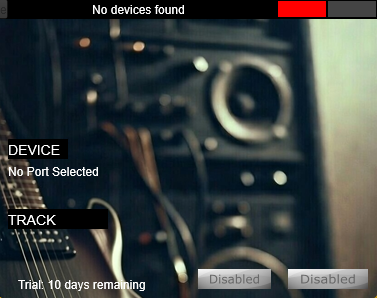
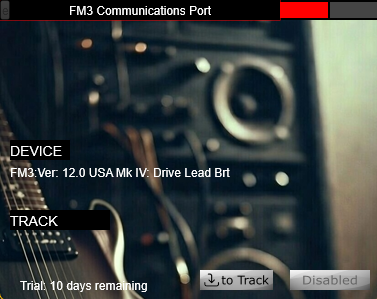
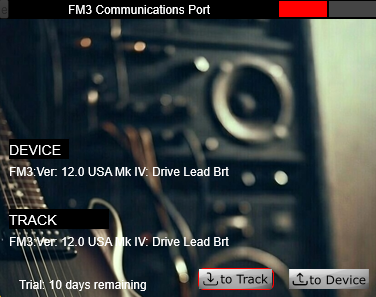
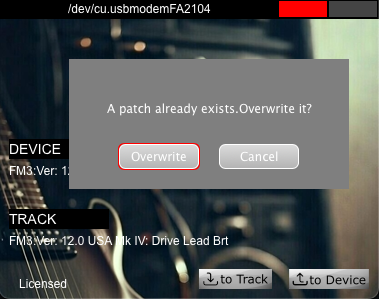
Click "to Track" in the VST3 to grab your current Axe-Fx/FM preset state. Your hardware sound is now captured digitally.
Save
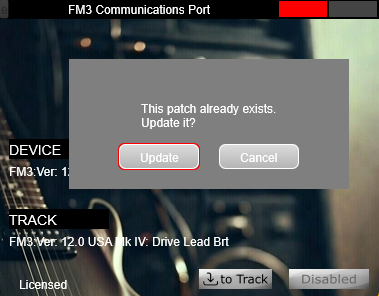
Your DAW project now "owns" that sound. No more hunting for the right preset name. Everything lives in your project file.
Restore
Open a project 6 months later; the plugin pushes the exact settings back to your Fractal hardware automatically. Just press "to Device"
See It In Action
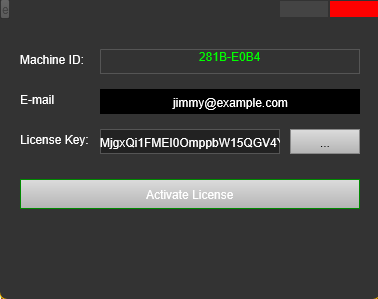
Visual guide to the rigSnap workflow
Simple Pricing
One-time purchase, lifetime access
Lifetime License
- Full VST3 Plugin (Windows & macOS)
- Lifetime Updates
- User Manual & Support
- License Tied to DAW Host (up to 3 hosts)
Important: Please download and test the free trial to ensure compatibility with your system before purchasing.
All sales are final. No refunds will be offered.
Secure checkout via Lemon Squeezy
Licensing Information
Our licensing is tied to your DAW host. Once you purchase, open the plugin "Licensing Tab", copy your Machine ID, and email it to us.
We manually verify and return your key as fast as we can.
Activate Your LicenseReady to Transform Your Workflow?
Try rigSnap free for 10 days. No credit card required.
SHA-256: 61488e0949ab58ad83d6c5f5b33e5068b96012ea438615dc9181e89d814d4264
SHA-256: 31fa31cae3960bfbf3ef94c4eed12f2489dd763023a910e7998b5d7bddea6333
SHA-256: da2b0ef476cf1b6b1918a92583a79cc4c6da7bfe56ab98f893fc3e172ed05bdc
How to Verify Download
Verify your Download
To ensure your plugin hasn't been tampered with, run the following command in your terminal:
Windows (PowerShell):
Get-FileHash .\<filename>.zip -Algorithm SHA256
macOS (Terminal):
shasum -a 256 ./<filename>.zip
Compare the output string to the hash listed above. They must match exactly.